Paid traffic is expensive. In B2B SaaS, it is also highly competitive.
That is why the best SaaS companies don’t send paid traffic to generic product pages or catch-all experiences.
They build landing pages that are aligned with the traffic source behind them.
This article breaks down several SaaS PPC landing page examples by type, and also the structural patterns and conversion principles that high-performing SaaS PPC landing pages tend to share.
What makes a SaaS PPC landing page effective?
The best SaaS PPC landing pages are built around conversion intent.
Instead of trying to appeal to every possible buyer, a landing page – especially one that’s part of a PPC campaign – should focus on continuing the conversation started in the ad itself. That means aligning the landing page headline, offer, CTA, and proof points with the exact problem or outcome the user clicked for in the first place.
Here are some of the most common characteristics shared by high-converting SaaS PPC landing pages.
Message match between ad and landing page
Landing pages should feel like a continuation of the ad, not a completely separate experience.
If someone clicks an ad promoting “AI-powered meeting summaries,” the landing page should immediately reinforce that positioning. Sending users to a generic homepage forces them to re-orient themselves, which increases bounce rates and lowers conversion intent.
This becomes especially important in SaaS PPC campaigns targeting:
High-intent search terms
Feature-specific keywords
Competitor campaigns
LinkedIn pain-point campaigns
The tighter the message match, the easier it is for users to confirm they are in the right place.
Focused CTAs
High-performing SaaS landing pages typically guide users toward one primary action, whether that’s booking a demo or using an interactive tool.
This is one reason many SaaS PPC landing pages remove full website navigation, secondary signup flows, irrelevant product links and overloaded feature menus.
The goal is to keep momentum moving toward conversion.
Clear proof and trust signals
B2B SaaS buyers are evaluating risk as much as product capability.
That is why strong PPC landing pages usually include trust-building elements early in the experience, including:
Customer logos
Testimonials
Case study metrics
Product usage numbers
Trust signals become even more important in enterprise SaaS categories where sales cycles are longer, switching costs can be high, and buyers often need stakeholder buy-in.
Fast time-to-value
Good SaaS landing pages communicate value quickly.
Users should be able to understand what the product does, who it is for, why it matters and what action to take next within seconds of landing on the page.
This is especially important for paid social campaigns, where traffic tends to be colder and attention spans shorter.
Video, product visuals, interactive demos, and concise copy can all help reduce time-to-understanding.
Landing pages built around traffic intent
Different PPC campaigns require different landing page structures.
For example:
Competitor campaigns work well with comparison-style pages
Feature keywords perform better with focused feature pages
Paid social campaigns often benefit from video-led experiences
High-intent branded campaigns usually prioritize demos or free trials
The strongest SaaS PPC strategies align keyword intent, ad creative, landing page structure and CTA strategy into one coherent, consistent acquisition journey.
SaaS PPC landing page examples [by type]
Below are several common SaaS PPC landing page types, along with examples and the strategic role each one plays within paid acquisition campaigns.
Demo-focused landing pages
Best for: High-intent SaaS PPC campaigns targeting users already evaluating solutions and looking for a fast path to conversion.
Demo-focused landing pages are designed to convert users who already understand the category and are actively evaluating solutions.
These pages prioritize:
Fast value communication
Low-friction CTAs
Trust-building
Clear product positioning
Instead of over-educating users, they focus on reducing hesitation and guiding visitors toward a demo booking or product signup.
Example: ClickUp
ClickUp’s landing page is a great example of a page designed to drive users to sign up for a demo:
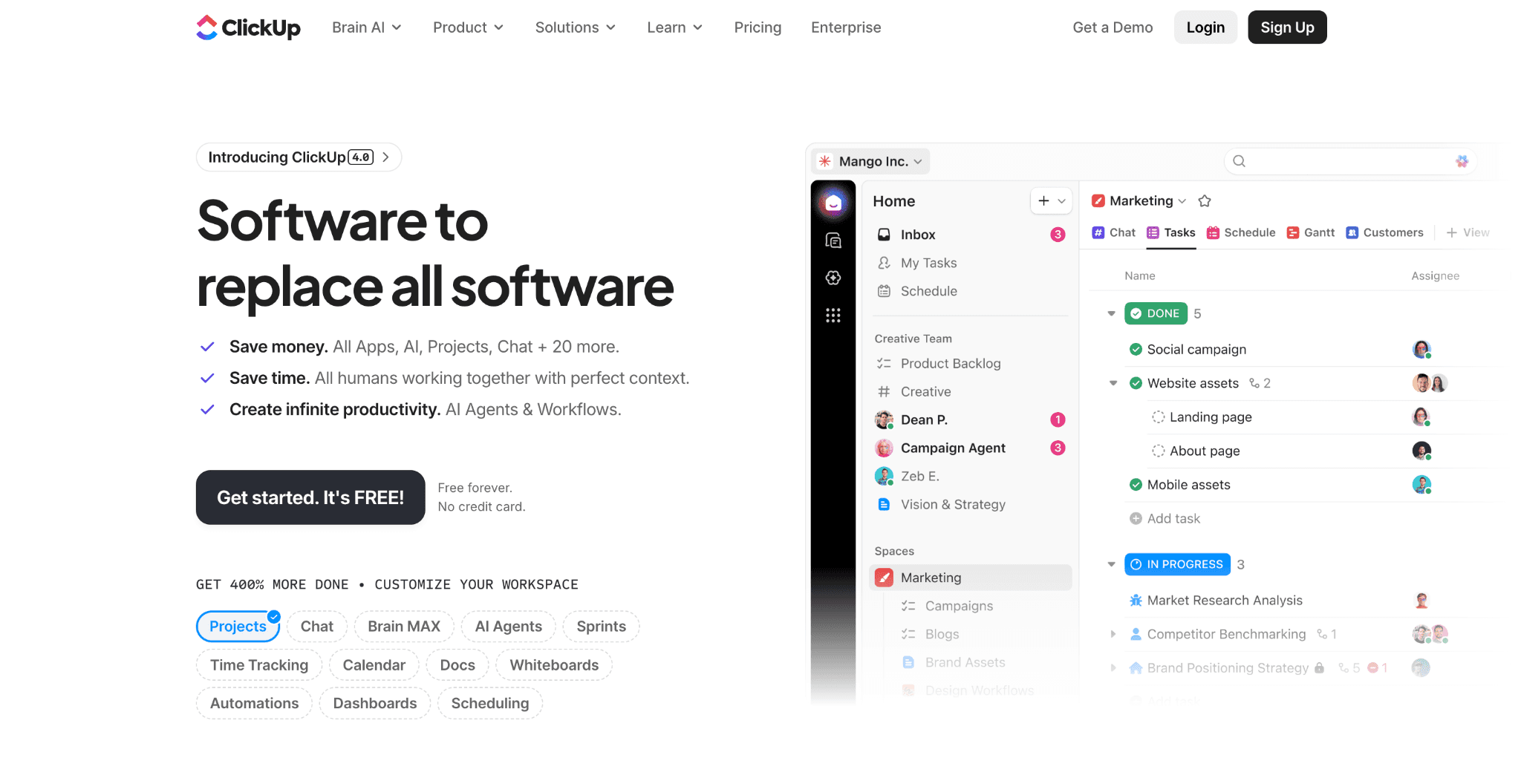
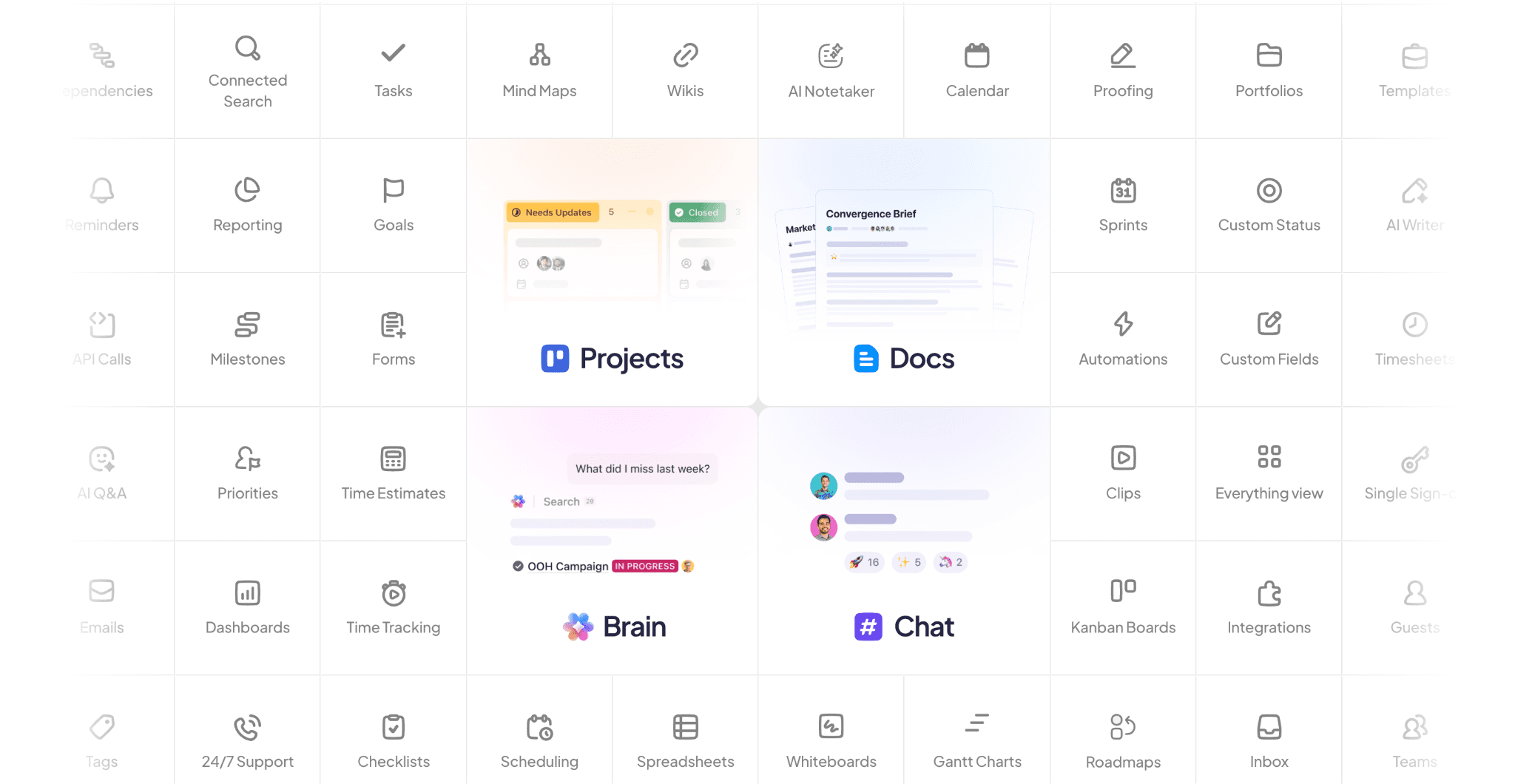
The page quickly communicates what the platform does, who it is for and, most importantly, why teams should use it. From there, almost every section, button and prompt pushes users to sign up for free to start using the product.
The page also maintains strong momentum throughout the experience. Product visuals, integrations, use cases, and proof elements appear consistently without overwhelming the visitor with unnecessary navigation or distractions.
Key takeaway for SaaS PPC teams
The best demo-focused landing pages make the product feel immediately usable. Product visuals, workflow examples, and fast time-to-value help high-intent buyers move toward conversion faster.
Comparison landing pages
Best for: Competitor campaigns and alternative keyword searches where buyers are actively comparing vendors.
Comparison landing pages are designed for users actively comparing vendors.
This traffic is typically highly valuable because buyers already understand the category and are narrowing down options. The role of the landing page is to help frame differentiation clearly without forcing users to search for it themselves.
These pages work especially well for:
“[Competitor] alternatives” keywords
comparison-focused Google Ads campaigns
branded competitor search terms
Example: Asana vs Monday.com
Asana’s comparison page is built specifically for evaluation-stage buyers comparing project management platforms:
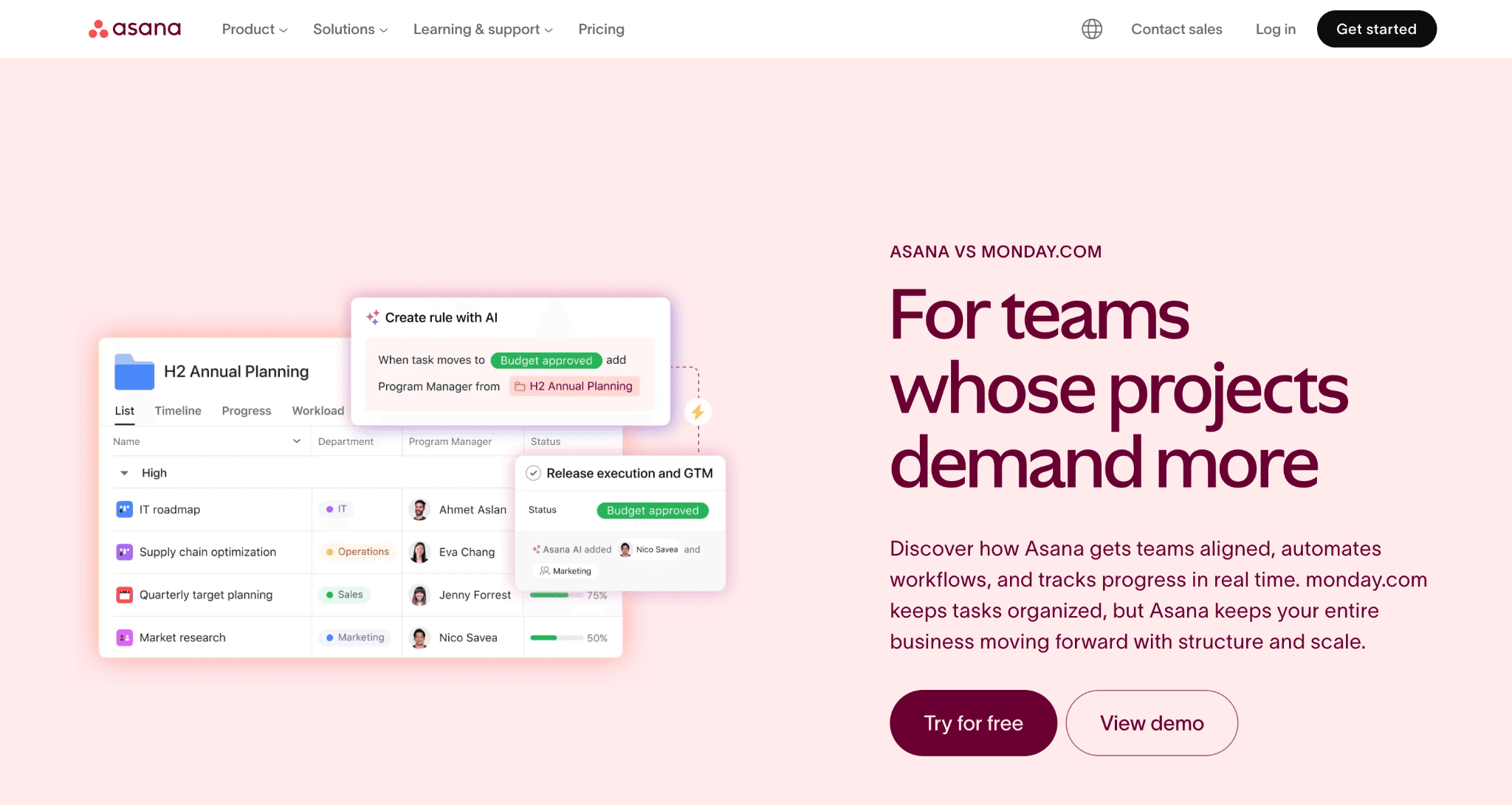
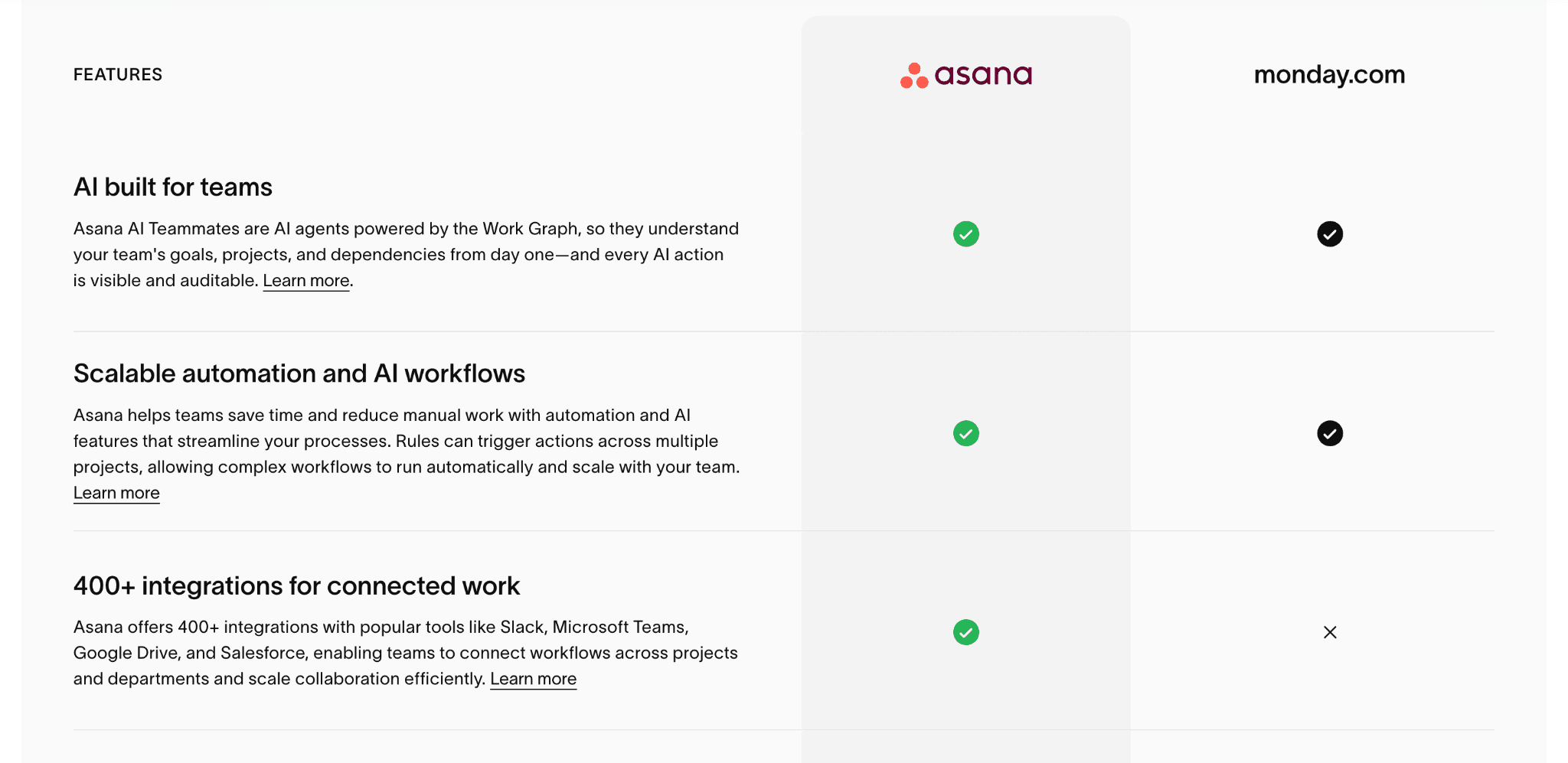
The structure itself mirrors buyer intent. Visitors looking for alternatives typically want quick clarity on differences, strengths, and limitations, and want to see this compared with competitors.
The page uses:
Comparison-style layouts
Product visuals
Feature breakdowns
Workflow explanations
to reduce research friction and guide users toward a decision.
Key takeaway for SaaS PPC teams
Competitor landing pages should simplify decision-making. The best comparison pages help users understand why a product is different without forcing them to interpret feature lists on their own.
Feature-specific landing pages
Best for: Segmented PPC campaigns targeting users searching for a specific capability, workflow, or product function
Feature-specific landing pages focus on a single capability, workflow, or product function.
These pages typically perform well when:
buyers already know the category
searches are highly specific
campaigns target clear pain points or use cases
Instead of explaining the full platform, they narrow attention toward one problem or workflow.
Example: Notion AI
Notion AI is an example of a feature-led SaaS landing page designed around a specific product capability:
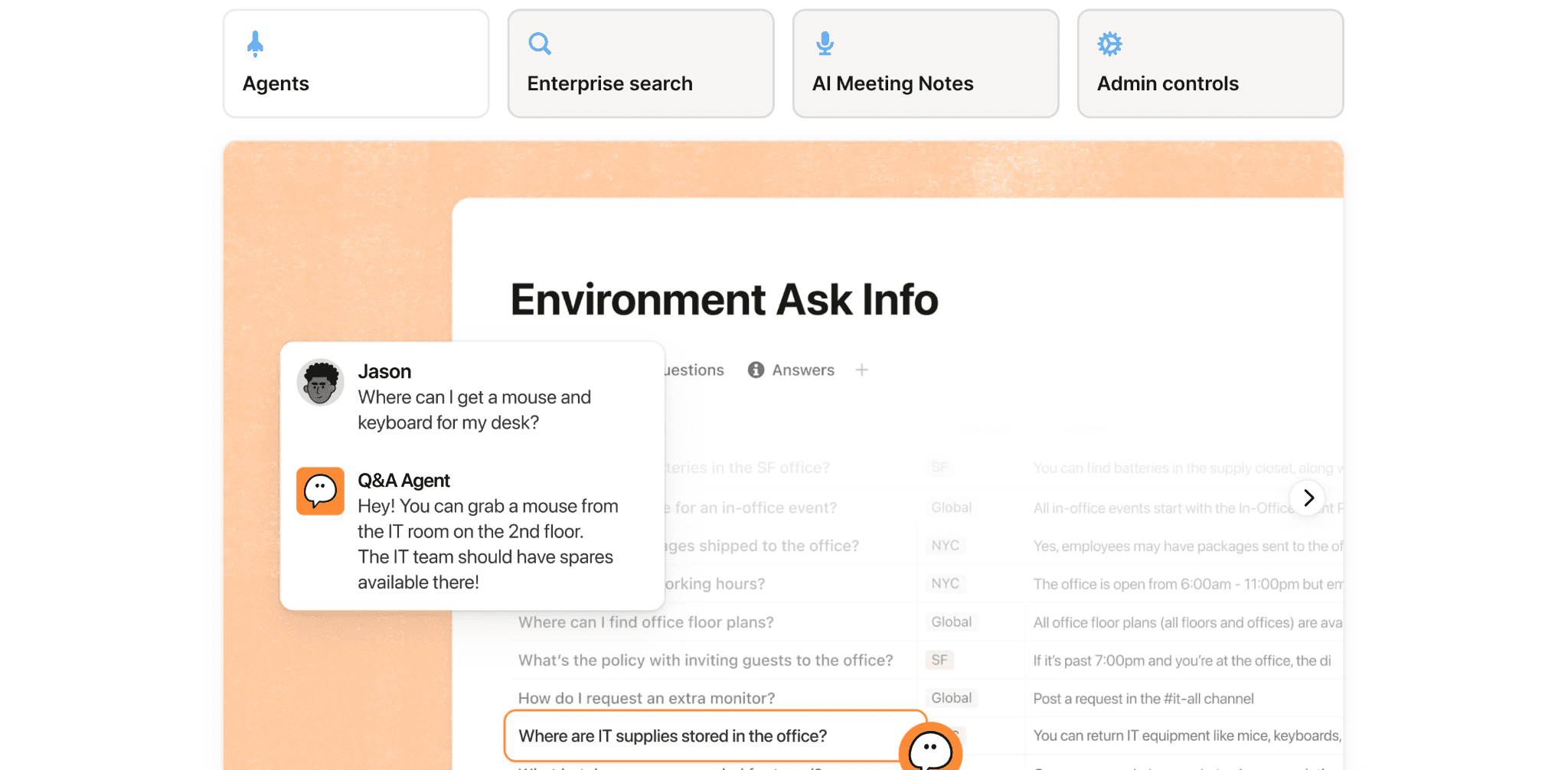
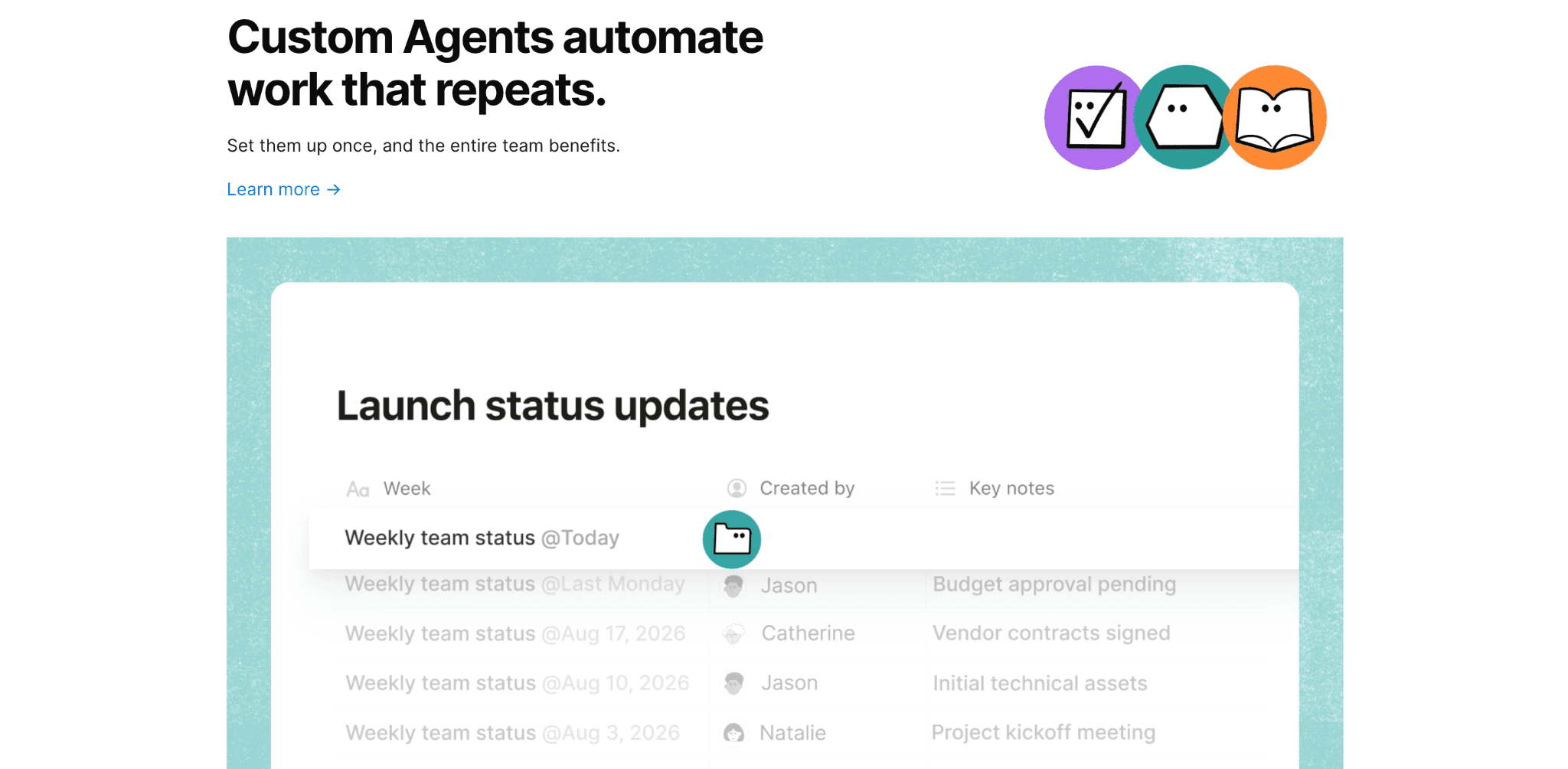
Rather than promoting Notion as a general workspace platform, the page centers entirely on AI functionality and use cases, with each section showcasing features and USPs with interactive elements and visuals.
These visual demonstrations and concise examples help users quickly understand how the feature works without relying on long-form explanations.
This makes the page highly aligned with:
AI-related search intent
feature-specific PPC campaigns
workflow-focused acquisition strategies
Key takeaway for SaaS PPC teams
Feature-specific landing pages perform best when they stay tightly aligned with a single capability or workflow. Expanding the page into broader platform messaging can weaken relevance and reduce conversion intent. It’s always best to narrow down and create a page per feature/service, especially if you intend to run ad campaigns around them.
Interactive/tool landing pages
Best for: Engagement-focused PPC campaigns where user participation helps communicate value more effectively.
Interactive landing pages encourage users to participate instead of passively consuming information.
This can include:
Calculators
Product estimators
Interactive onboarding
Assessments
Self-qualification tools
These experiences work well because they increase engagement while helping users visualize value more directly.
Example: Ramp Cost Saving Calculator
Ramp’s savings calculator is a strong example of an interactive SaaS landing page designed around value simulation:
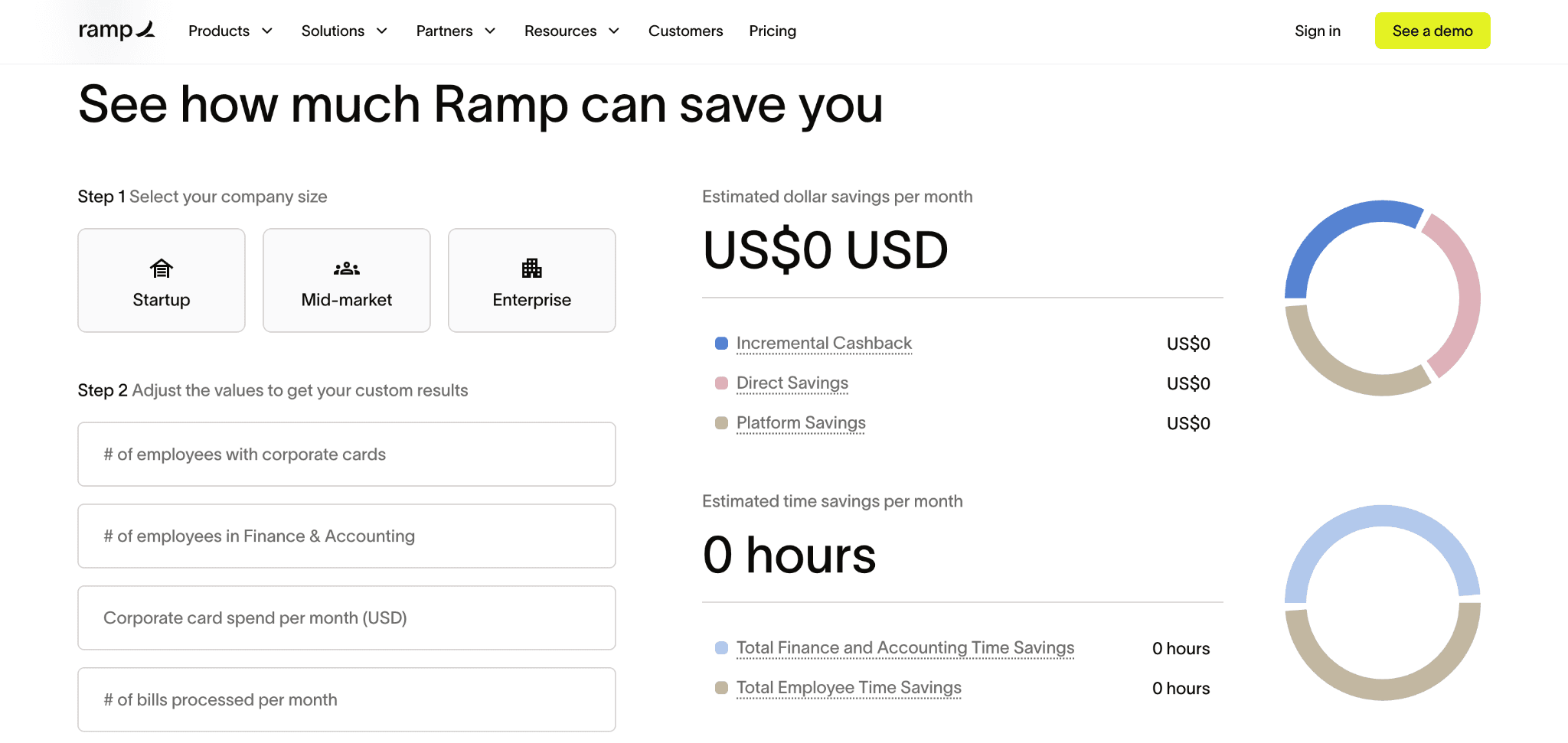
Instead of relying entirely on product messaging, the page delivers immediate value communication. It encourages users to input company and spending information to estimate potential savings directly within the experience. This makes the value proposition feel more tangible and personalized for each user, while also showcasing the product's benefits.
The interaction itself becomes part of the conversion journey. Users are not just reading about efficiency gains or cost reduction. They are actively calculating what those outcomes could look like for their business.
Key takeaway for SaaS PPC teams
Interactive landing pages work best when the interaction itself helps users understand value faster. The goal is not interaction for the sake of novelty, but interaction that supports qualification and conversion.
Video-focused landing pages
Best for: SaaS products that benefit from visual explanation or workflow demonstration.
Video-focused landing pages reduce time-to-understanding by showing the product experience directly instead of describing it through long-form copy.
This format works particularly well for:
Workflow-based SaaS products
Collaborative tools
Visual platforms
Newer product categories
Example: Loom
Loom is a video product, and chooses to immediately demonstrate the product experience through a video in the hero section:
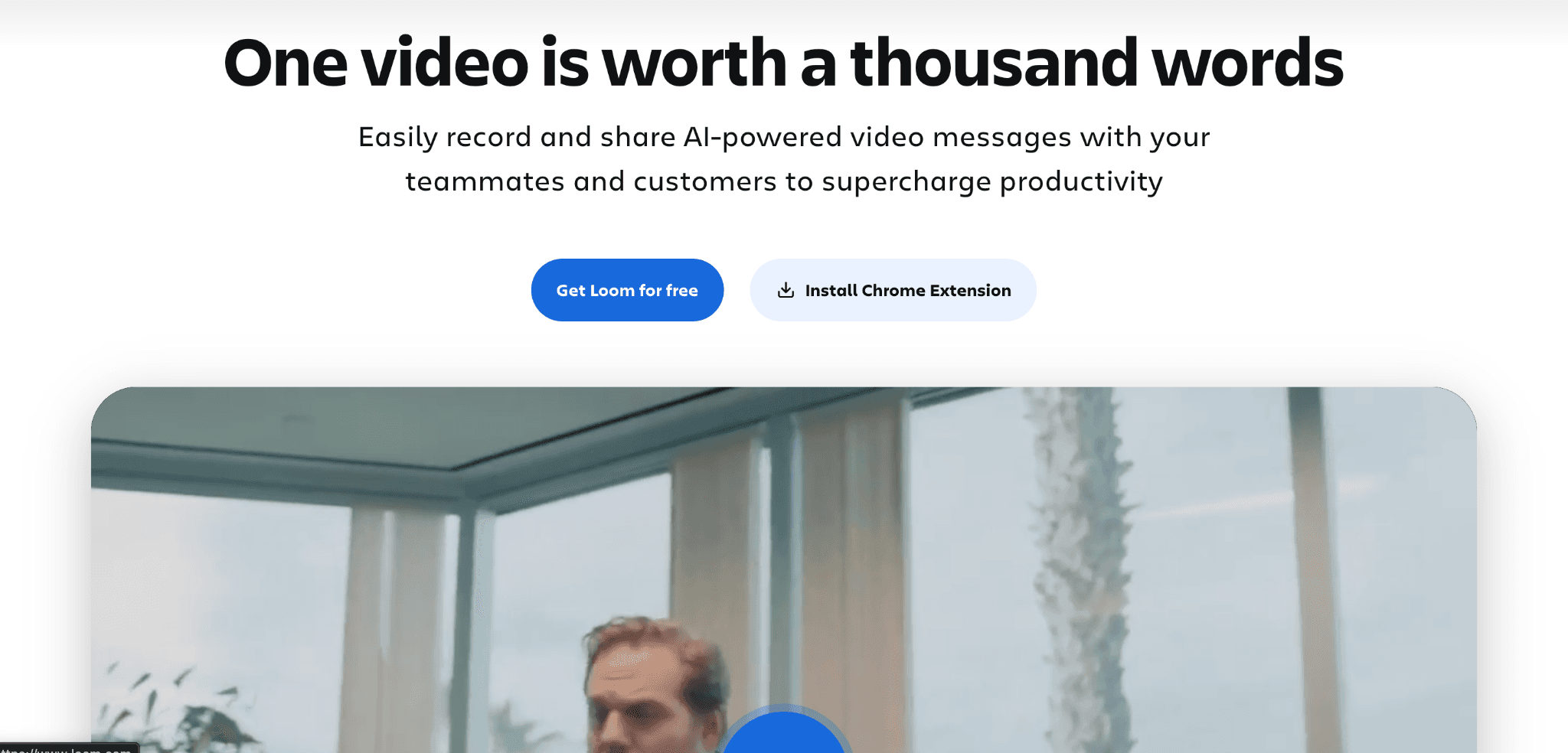
Within a minute, users understand what the product does, how it works and why teams use it, without needing to read large amounts of supporting copy.
The landing page also creates strong continuity for paid social campaigns, especially video ads. Users clicking from video-first creative arrive on a landing page that continues the same communication style and product experience.
Key takeaway for SaaS PPC teams
Video-focused landing pages work best when the product benefits from visual explanation. For workflow-heavy SaaS products, showing the experience directly can shorten understanding and improve conversion rates.
The 8-part anatomy of a SaaS PPC landing page
After building and optimizing SaaS landing pages across Google Ads, LinkedIn Ads, Meta campaigns, and demand generation funnels, we know that certain structural patterns work for high-performing pages.
Here’s the 8-part landing page anatomy the Hey Digital team uses across SaaS PPC campaigns.
1. Hero section
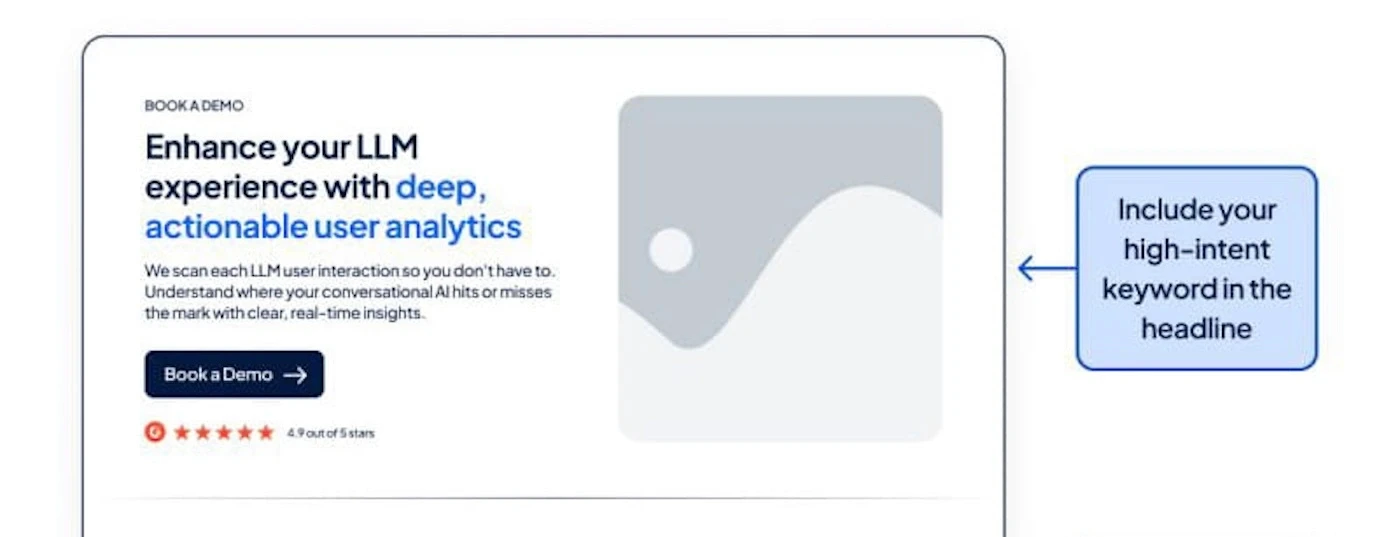
Your hero section should immediately communicate:
→ Your high-intent keyword in the headline
→ The product’s benefits, capabilities or features
For PPC campaigns, message match matters heavily here. The landing page headline should reinforce the promise made in the ad itself.
Best practice
Keep the hero section tightly aligned to the original ad messaging. High-converting SaaS landing pages typically communicate the category, value proposition, and CTA within seconds of the user arriving on the page.
💡 Pro tip: Use UTM-based personalization to dynamically match ad messaging with landing page copy.
2. Social proof
Strong landing pages build credibility quickly using:
→ Display logos of clients who use your product
→ Keep it above the fold

Best practice
Keep trust signals visible early in the landing page experience, especially for high-intent PPC traffic evaluating multiple vendors.
💡 Pro tip: Match testimonials and logos to the audience segment behind the campaign. Enterprise buyers respond differently to proof than startup or SMB audiences.
3. Interactive demos
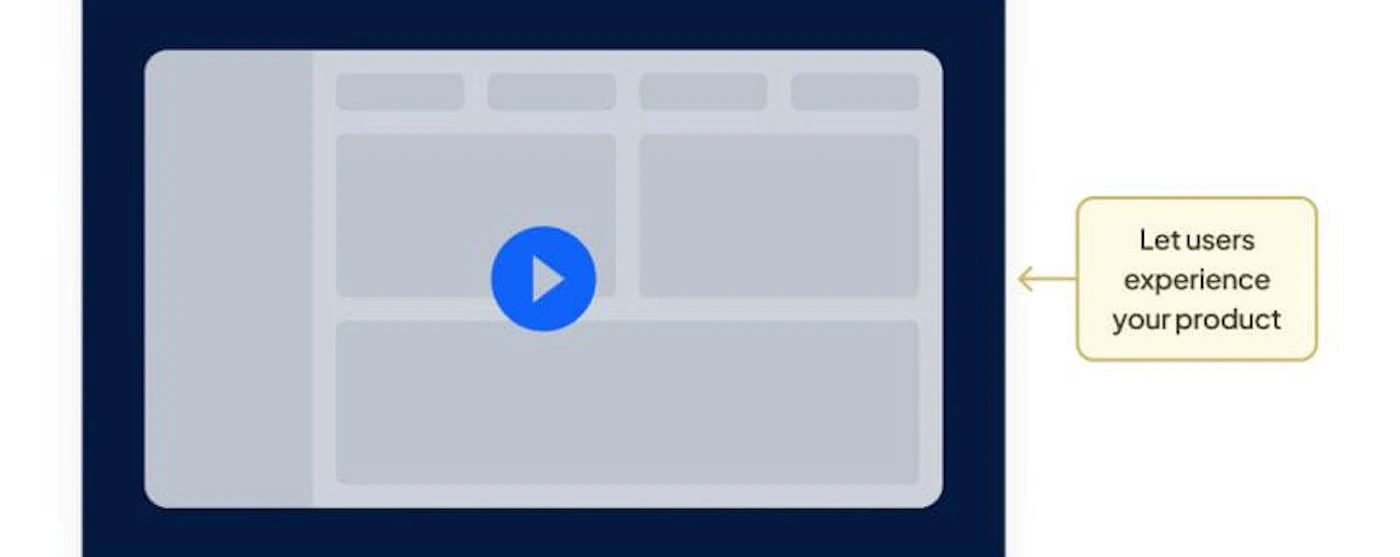
Instead of relying entirely on copy, SaaS landing pages can let users experience the product visually through:
→ Embed a short product walkthrough, or add an animated GIF/Video that highlights the core feature in action.
→ If possible, let users “try” something in-browser.
Best practice
Keep demos concise and focused on core workflows rather than trying to showcase every product capability at once.
💡 Pro tip: Remove autoplay audio from embedded demos. PPC traffic tends to bounce quickly when landing pages feel intrusive.
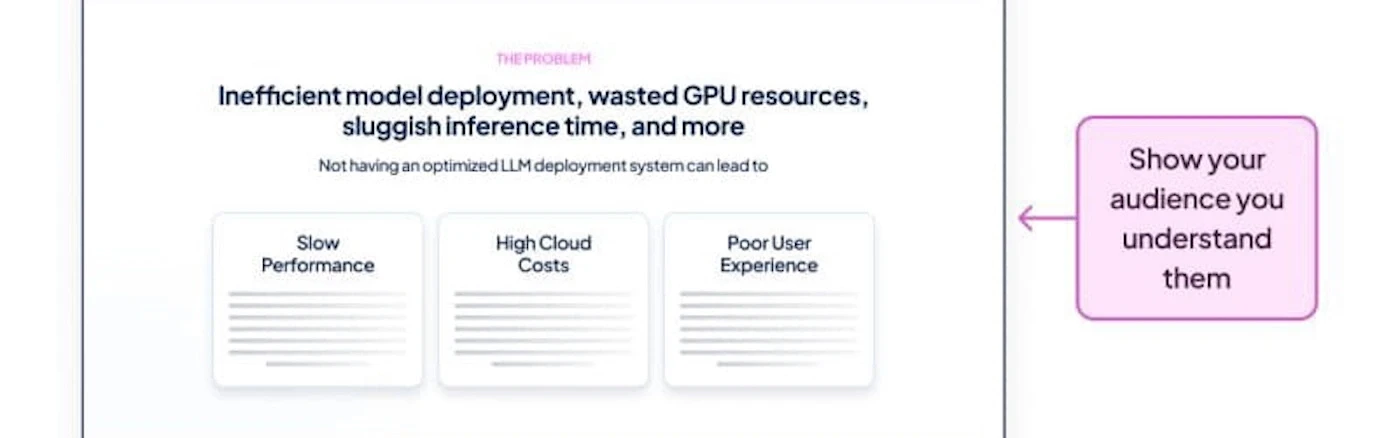
4. Problem statement
You have to show the audience you understand the problem before presenting the solution.
→ List the top 2-3 pain points they are likely facing.
→ Keep it concise and relatable
Best practice
Focus on a small number of highly relevant pain points instead of broad positioning statements that try to appeal to everyone.
💡 Pro tip: Pull wording directly from sales calls, customer interviews, or search queries. The best-performing pain-point copy usually mirrors how buyers describe the problem themselves.
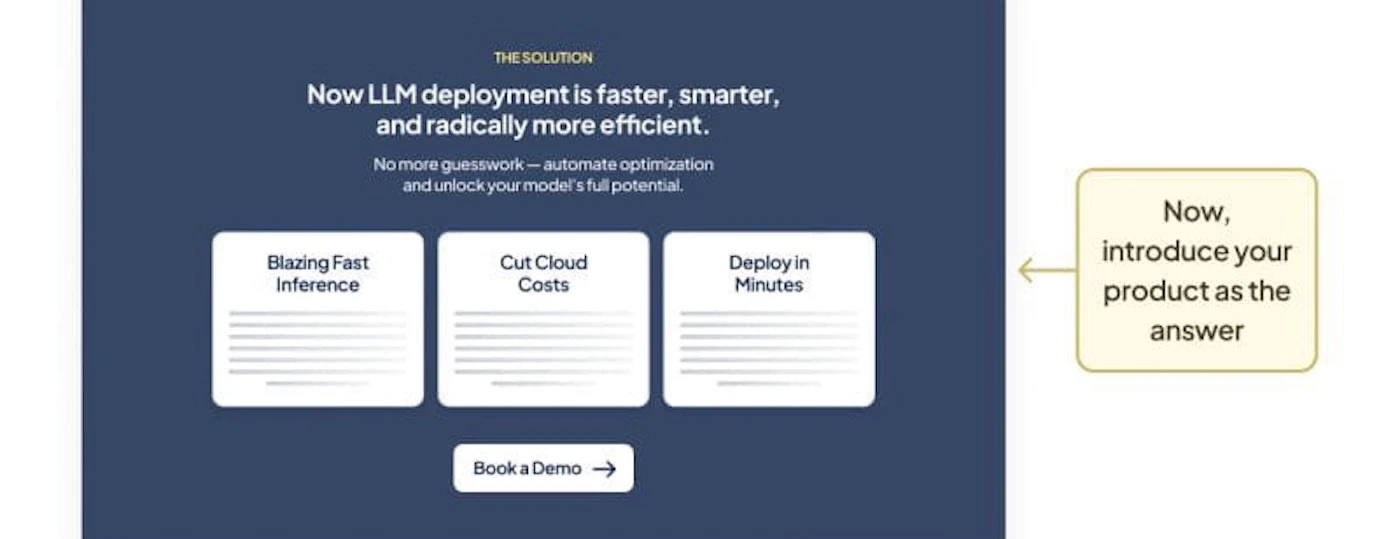
5. Solutions section
Once the problem is clear, position the product as the answer.
→ Tie each feature directly to a problem you just outlined.
→ Use multiple subsections for clarity. Think of this as your value prop deep-dive.
Best practice
Tie product capabilities directly back to the challenges outlined earlier on the page, instead of presenting isolated feature lists without context.
💡 Pro tip: Use comparison-style layouts to connect problems and solutions visually. This makes landing pages easier to scan, especially on mobile.
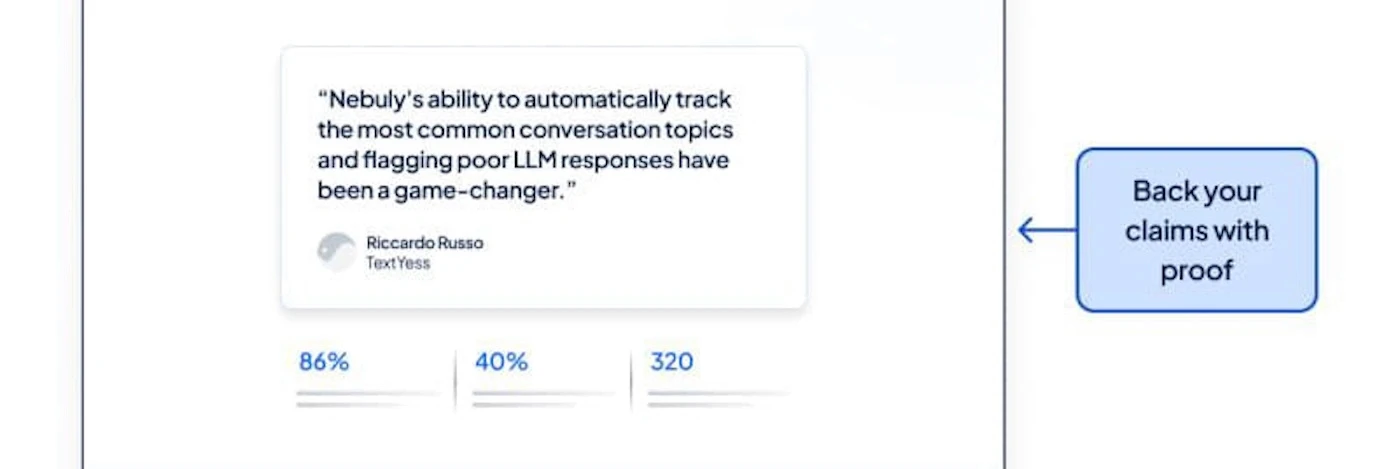
6. Results and testimonials
Customer proof helps validate product claims and reduce perceived risk.
→ Showcase standout testimonials.
→ Use numbers-driven case study highlights as section titles (e.g., “Increased Team Productivity by 57% in Just 30 Days”) with a supporting quote underneath.
Best practice
Lead with measurable business outcomes wherever possible. Specific numbers tend to create stronger credibility than generic praise.
💡 Pro tip: Shorter testimonials usually outperform longer ones on PPC landing pages because users are scanning rather than reading deeply.
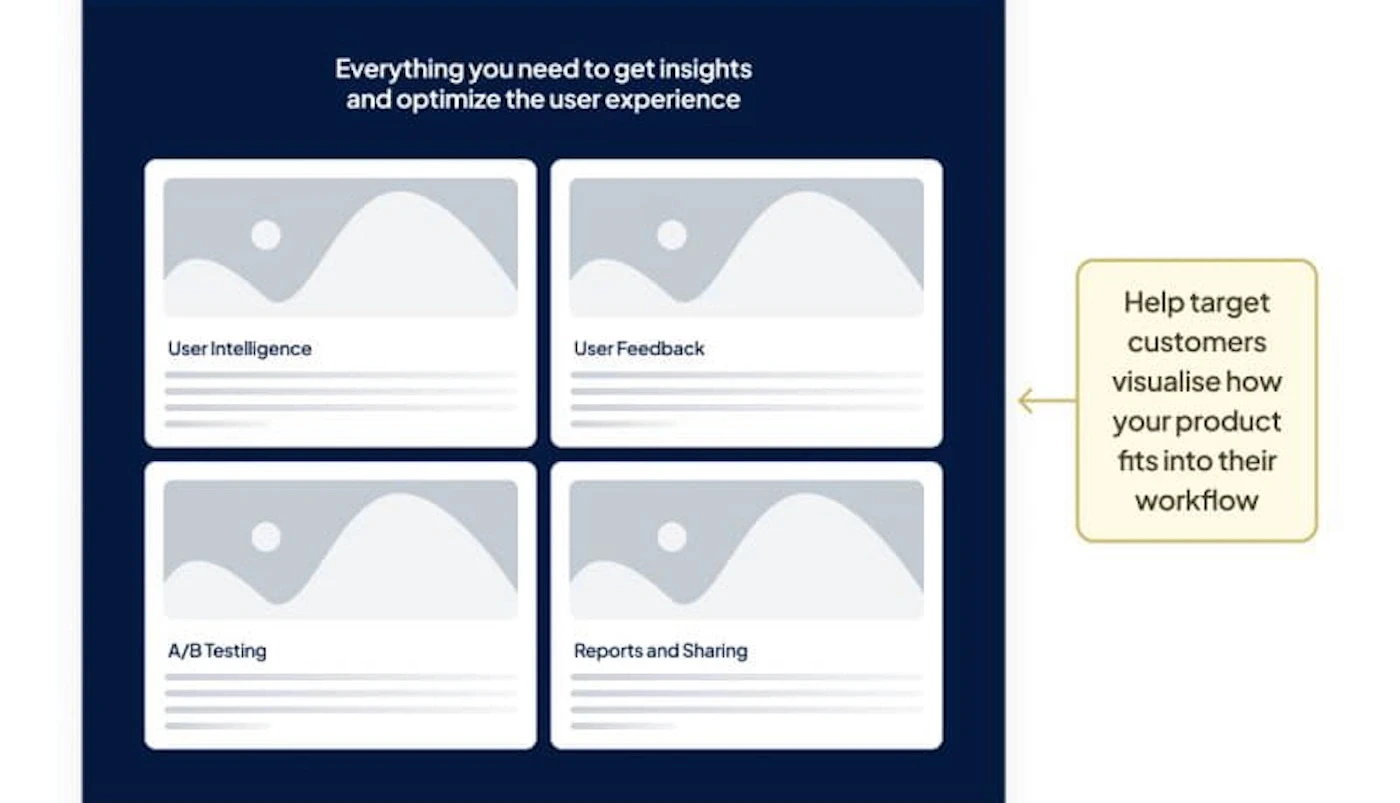
7. Features and use cases
Help target customers visualise how your product fits into their workflow.
→ Focus on outcomes, not just technical specs.
→ Break this into clear, digestible sections using bullet points or short paragraphs
→ Add video wherever possible.
This should help users visualize adoption, implementation and operational impact without overwhelming them with technical detail.
Best practice
Focus on workflows and outcomes rather than feature depth alone. Strong SaaS landing pages help buyers understand how the product improves day-to-day operations.
💡 Pro tip: Organize use cases around job functions or workflows instead of internal product categories. It aligns better with buyer intent.
8. Closing section
[Insert cropped closing CTA visual]
The final section should reinforce the core value proposition and guide users toward action.
→ Reiterate the key benefit of your product.
→ Use a final CTA (ideally the same as the one in the hero for consistency).
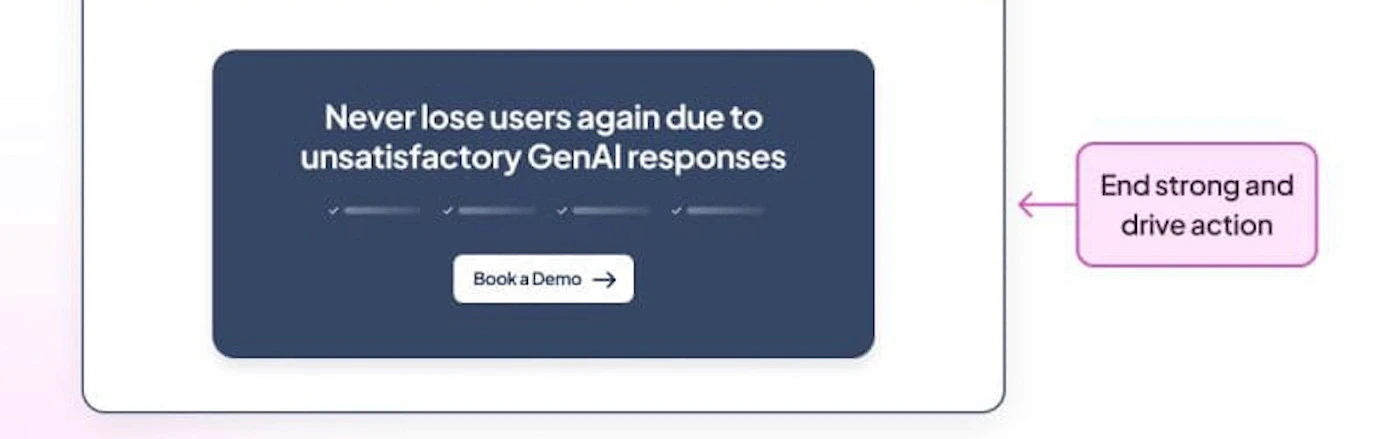
Best practice
Reinforce the primary value proposition and repeat the same CTA used earlier in the page to maintain conversion clarity.
💡 Pro tip: Avoid introducing new offers or CTAs in the closing section. Consistency usually converts better than adding optional next steps late in the page.
Bringing landing pages and PPC together
The best SaaS PPC landing pages are built around buyer intent.
A feature-focused search campaign, a competitor campaign, and a paid social campaign introducing a new category all require different messaging, structure, and conversion flows. The strongest landing pages create continuity between the ad, the audience, and the action you want users to take next.
That is what makes SaaS PPC landing pages challenging to get right. Small disconnects between the ad and landing page experience can reduce conversion rates quickly, especially in competitive SaaS categories where CPCs are already high.
At Hey Digital, we’ve helped 200+ B2B SaaS companies build and optimize landing pages designed around pipeline and revenue growth. If you’re looking for help improving SaaS PPC performance, explore our landing page services or browse our recent SaaS landing page work.

CEO @ Hey Digital
About the author
Dylan Hey is the CEO and co-founder of Hey Digital and Hey Design, where he helps SaaS companies scale through performance marketing and creative strategy. He has built a globally distributed agency working with 200+ SaaS brands.
View LinkedIn
Blog